Zelicra Technologies
THUGLIST: the to-do list that locks your apps when you are late
A free to-do list and app blocker for Android. Give a task a deadline. If an important one runs late, the apps that eat your day stay shut until it is done.
Get it free on Google PlayAndroid only. No ads, no analytics, no login needed.
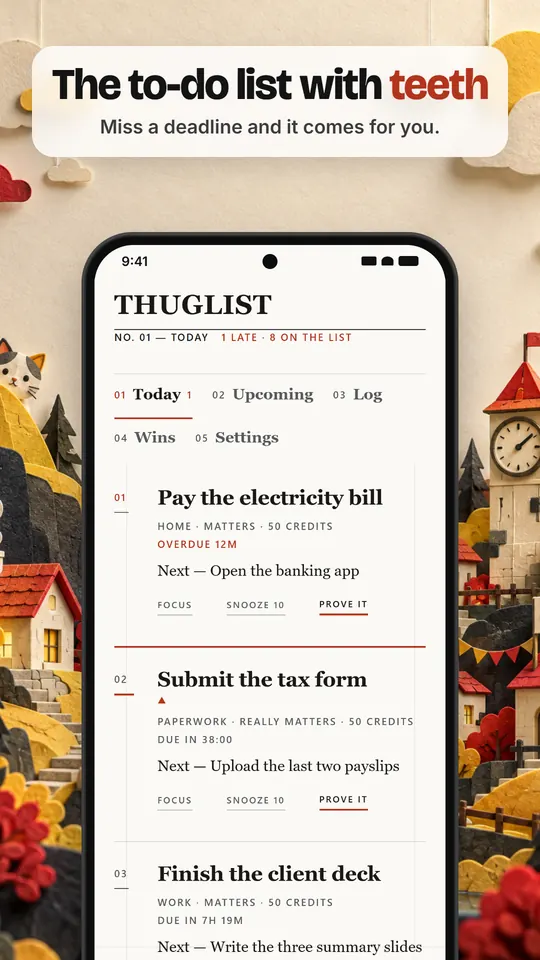
Most to-do lists cost nothing to ignore. You write the task down, the reminder slides past, and you open Instagram instead. THUGLIST is built for people whose deadlines keep quietly sliding. It keeps the list simple and puts a small, honest cost on missing the things you said mattered.
A to-do list with alarms and real deadlines
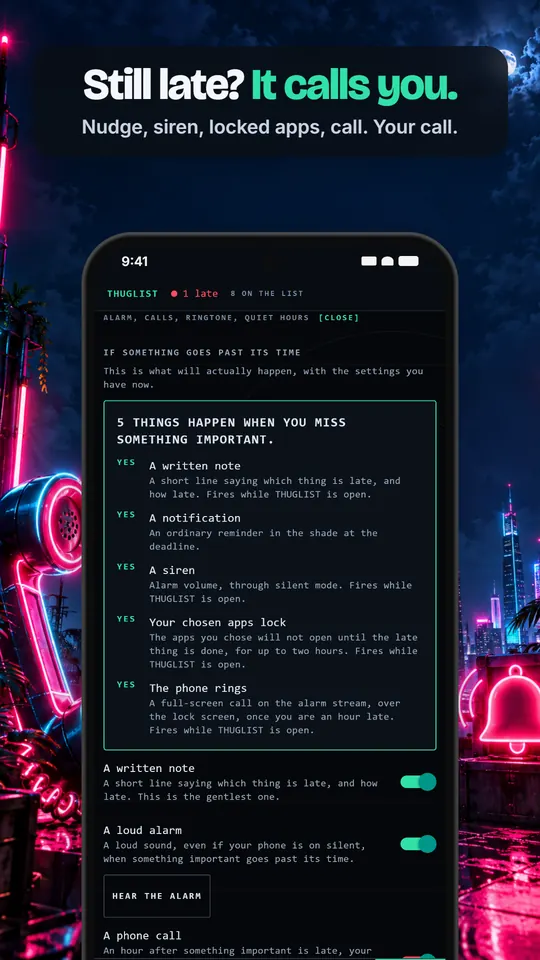
Every task can have a date and an exact time. A countdown starts the moment you set it, reminders arrive at the minute you asked for, and when something important goes past its time a loud alarm can sound, even with the phone on silent. Repeat tasks daily, weekly, monthly or on your own pattern, sort them with tags and headings, add checklists, and see your month on a calendar. More on the alarm and reminders.
An app blocker that only bites when you are late
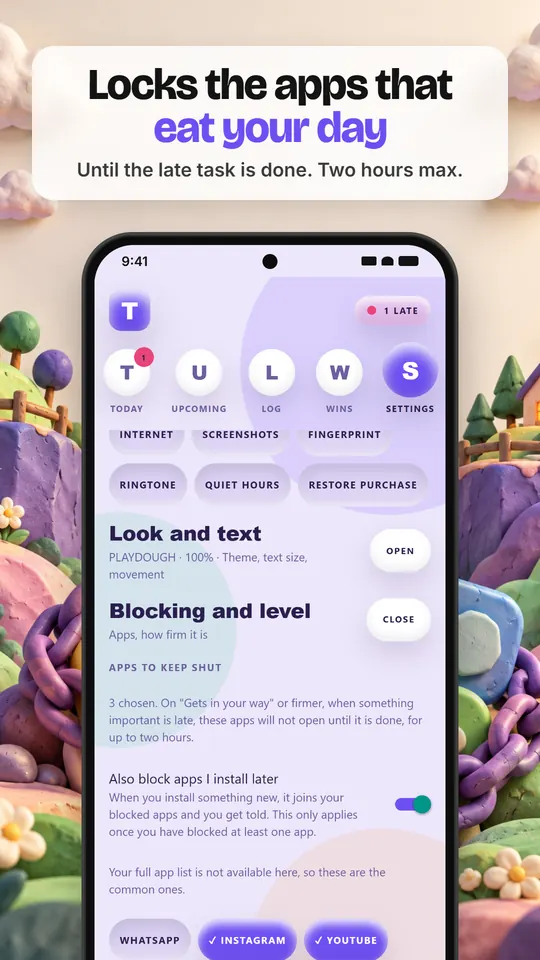
Pick the apps that steal your time. They open normally while you are on track. When a task you marked important passes its deadline, those apps stop opening and a block screen covers them until the task is done, for up to two hours. You can pause it for an hour or for the rest of the day, any day, and it costs you nothing. How the app blocker works for studying.
A focus timer that quietens your phone
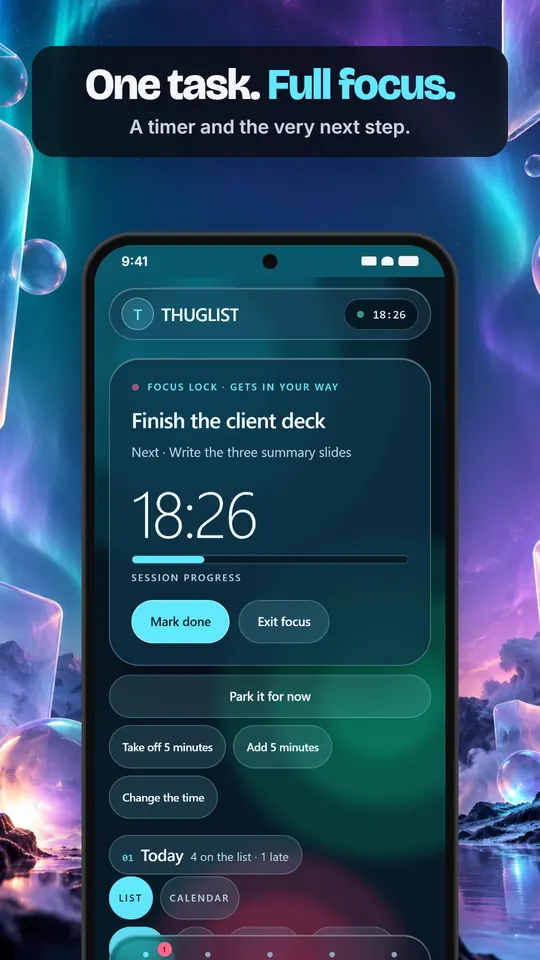
Start a focus session on one task and THUGLIST shows a timer and the very next step, and can switch on Do Not Disturb so other apps stay quiet while you work. Add five minutes, take five off, or park the task for later.
A deadline reminder that rings like a phone call
With Pro, an hour after an important deadline passes, your phone can ring like a real incoming call: full screen, over the lock screen, through silent mode. Answer or decline; it stops on its own after a minute. It is off by default, and quiet hours hold it until morning.
Plain by default, louder if you want
THUGLIST speaks plainly unless you ask for pressure. There are louder voices if a push helps you, and ten looks to match, from loud yellow-on-black to Easy Read, a calm, high-contrast look that never shouts. Text scales from 90% to 160%. Every enforcement feature is off until you turn it on, and can be turned back off.
Free, with an optional Pro
- Free: the list, deadlines, reminders, the alarm, app blocking, focus sessions, repeats, tags, the calendar and up to 100 open tasks.
- Pro: the phone call, projects and areas, every look and voice, your own ringtone, backup and restore, and unlimited tasks. New installs get 14 days of Pro to try.
Private by design
THUGLIST works without an account. Your tasks, notes and history are written to your own phone and stay there unless you turn on sync. An account is optional; making one sends your email address and nothing else. Sync is off until you choose a passphrase, and then only a sealed copy leaves your phone that neither we nor our provider can read. There is no analytics, no advertising, no crash reporting and no tracking of any kind in the app.
Questions
Is THUGLIST free?
Yes. The to-do list, reminders, the alarm, app blocking and focus sessions are free with no ads. Pro is an optional upgrade bought through Google Play.
Can it lock apps like Instagram and YouTube?
Yes. You choose the apps. They are locked only while a task you marked important is past its deadline, for up to two hours, and only once you have set the blocking level to "Gets in your way" or firmer.
Will the alarm ring when my phone is on silent?
It can. The alarm plays at alarm volume, which Android lets through silent mode. Ordinary reminders behave like normal notifications.
Do I need to make an account?
No. Everything works on your phone without one. An account is only needed if you want encrypted sync.
Is there an iPhone version?
Not yet. THUGLIST is available for Android on Google Play.
What if I am ill or something comes up?
Pause it for an hour or for the day from the settings. Pausing costs nothing and never counts against you. The app is firm, never a trap.
Guides
App blocker for studying →
Lock distracting apps until the assignment is done.
To-do list with alarm →
Reminders on the minute, and an alarm that cuts through silent.
A procrastination app that fights back →
Why lists get ignored, and how a small cost changes that.
Documents
Privacy Policy →
What the app stores, what leaves your phone, and every permission it can ask for, with the reason for each.
Terms of Service →
The free version, Pro, refunds through Google Play, and what THUGLIST is deliberately not.
Support
Questions, bug reports, refund problems, privacy requests and anything else: hello@zelicra.com. We aim to reply within a few working days.